









Five Nights at Freddy's
Take the night shift at Freddy Fazbear's Pizza and survive from 12 AM to 6 AM. Every camera check, hallway light and closed door costs power, so staying alive depends on watching the right places at the right time.
About Five Nights at Freddy's
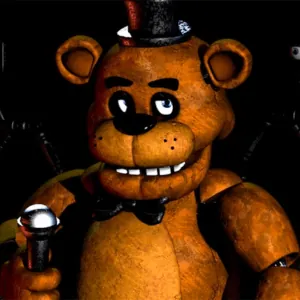
Five Nights at Freddy's is a point-and-click survival horror game created by Scott Cawthon. You play as a night security guard alone inside Freddy Fazbear's Pizza, a family restaurant whose animatronic performers behave very differently after closing time. The cheerful setting turns tense once the building goes quiet and every hallway sound starts to matter.
You cannot explore rooms freely or fight the animatronics directly. Instead, you stay in a fixed office, switch between security cameras, check the blind spots beside each doorway and close the left or right door only when a threat is close. Cameras, lights and sealed doors all drain the same limited power supply, so every defensive choice has a cost. If the electricity runs out before 6 AM, the office goes dark and your last protection disappears.
Freddy, Bonnie, Chica and Foxy each follow different routes and timing. Early nights teach camera habits and door discipline, while later shifts demand faster checks, better listening and stricter power control. That mix of simple controls and rising pressure is what makes Five Nights at Freddy's memorable. When you are ready to practice the routine, continue to the How to Play section for camera checks, hallway lights and door timing.
What Makes Five Nights at Freddy's Different
Fixed Office Pressure
A fixed security office that creates constant pressure without complicated movement controls.Unique Animatronic Routes
Four main animatronics with different routes and behaviors.Shared Power Limit
Limited power shared by cameras, doors and hallway lights.Rising Night Difficulty
Increasing difficulty across the nights, plus an extra challenge night.Story Through Details
Environmental clues, phone calls and hidden details that support the wider FNAF story.