









GamesFranchiseFive Nights at Freddy's 2

Five Nights at Freddy's 2

Developer:Scott Cawthon
Rating:4.7 (289,310 votes)
Released:2014
Technology:HTML5
Platforms:Browser (Desktop, Mobile)

Five Nights at Freddy's 2

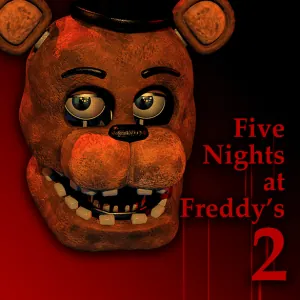
Return to Freddy Fazbear's Pizza in a faster and more crowded night shift. With no security doors, survival depends on the Freddy mask, a limited flashlight and constant attention to the Prize Corner music box.

About Five Nights at Freddy's 2

Five Nights at Freddy's 2 expands the original formula with a larger cast and more overlapping threats. The office has an open hallway and two ventilation entrances, so you can no longer seal yourself behind doors.

Most animatronics can be fooled by quickly putting on the Freddy Fazbear mask when they enter the office. Foxy reacts to the hallway flashlight instead, while The Puppet must be contained by repeatedly winding the music box on the Prize Corner camera.

The challenge comes from switching between these defenses without losing the rhythm of the night. Camera time must be efficient, the mask must go on quickly and the flashlight battery cannot be wasted.

What Makes This Game Different

  • No security doors; defense is based on reaction and timing.
  • Freddy mask used against most office intruders.
  • Music box that must be wound to control The Puppet.
  • Flashlight for the central hallway and selected camera feeds.
  • A much larger roster of Toy and Withered animatronics.

How to Play Five Nights at Freddy's 2

Raise the monitor and go to the Prize Corner camera regularly to wind the music box. Do this before it becomes critically low, because recovering from an empty music box is difficult.

After lowering the monitor, be ready to use the mask immediately. Check the left and right vents, flash the central hallway to slow Foxy and return to the music box before too much time passes.

Build a repeatable loop: wind the box, lower the monitor, flash the hall, check the vents and use the mask when needed. The later nights reward consistency more than random camera switching.

Controls

ActionDesktopMobile-Touch
Open or lower monitorMouse click / move to monitor controlTap monitor control
Wind music boxHold the wind control on Prize Corner cameraTouch and hold
Wear Freddy maskClick the mask controlTap the mask control
Use flashlightClick or hold the flashlight area/buttonTap or hold
Switch camerasClick a camera locationTap a camera location

Beginner Tips

  • Wind the music box before it becomes urgent.
  • After every camera check, prepare to put on the mask immediately.
  • Use short flashlight bursts instead of holding it continuously.
  • Do not rely on the mask against every character; Foxy requires the hallway light.
  • Follow a fixed action loop so one mechanic does not distract you from the others.

Frequently Asked Questions

Why are there no doors in FNAF 2?

This sequel replaces the door system with the Freddy mask, flashlight and vent checks, making reactions more important than simply blocking an entrance.

What happens if the music box stops?

The Puppet becomes active. Keep returning to the Prize Corner camera and wind the box before the timer empties.

Does the Freddy mask work on every animatronic?

No. It works against many office intruders, but characters such as Foxy require a different response.

How do I deal with Foxy?

Flash the central hallway repeatedly when Foxy appears. Short controlled flashes help without wasting the full battery.

Is FNAF 2 harder than the first game?

Many players find it harder because several systems must be managed at once and there are more animatronics to identify.