










GamesFranchiseFNAF 6: Freddy Fazbear's Pizzeria Simulator

FNAF 6: Freddy Fazbear's Pizzeria Simulator

Developer:Scott Cawthon
Rating:4.7 (156,230 votes)
Released:2017
Technology:HTML5
Platforms:Browser (Desktop, Mobile)

Freddy Fazbear's Pizzeria Simulator

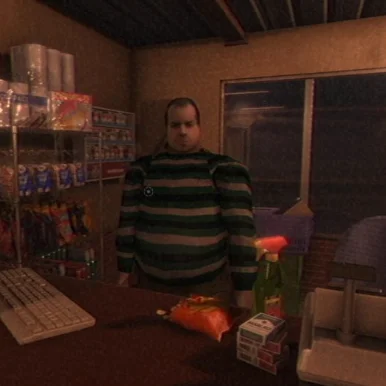
Run a small Freddy Fazbear restaurant, buy attractions and complete daily tasks - but every business decision can introduce more risk after closing time.

About Freddy Fazbear's Pizzeria Simulator

Freddy Fazbear's Pizzeria Simulator begins like a light management game. You purchase items, arrange attractions and try to improve the restaurant's performance. Behind that cheerful surface, liability and risk ratings determine how dangerous the building may become.

At the end of a business day, you may be asked to inspect a damaged animatronic. Accepting a salvage can provide money, but an unsafe decision can bring the character into the restaurant.

During the office shift, you complete maintenance and supply tasks while listening for movement in the ventilation system. Fans and equipment generate noise, so progress must be balanced against heat, sound and the possibility of an animatronic entering the office.

What Makes This Game Different

  • Restaurant layout and purchasing decisions during the business phase.
  • Risk, liability and revenue trade-offs.
  • Salvage evaluations with audio prompts and sudden movement.
  • Nighttime office tasks with heat, sound and ventilation pressure.
  • Multiple endings connected to management and story choices.

How to Play Freddy Fazbear's Pizzeria Simulator

During the management phase, buy useful items without ignoring their risk and liability values. A profitable attraction is not automatically a safe choice.

In salvage sections, follow the checklist and watch the animatronic between audio prompts. Use the defense option immediately if its position changes in a dangerous way.

At night, complete terminal tasks in short batches. Lower the noise when you need to listen, use ventilation to control heat and check the left and right openings for movement before returning to work.

Controls

ActionDesktopMobile-Touch
Select and place restaurant itemsMouse click and dragTap and drag
Use office terminalMouse clickTap
Start or stop ventilation/toolsClick corresponding controlTap control
Check office sidesMove cursor/view left or rightSwipe/tap side
Use salvage defenseClick the displayed defense controlTap the control

Beginner Tips

  • Do not judge purchases by revenue alone; risk can make later shifts harder.
  • Complete office tasks in small groups so you can pause and listen.
  • Turn off noisy equipment when movement is difficult to locate.
  • During salvage, compare the animatronic position after every prompt.
  • Different choices support different endings, so a perfect business score is not the only objective.

Frequently Asked Questions

Is Freddy Fazbear's Pizzeria Simulator a restaurant simulator or a horror game?

It is both. The business phase affects the resources and risks that carry into the survival sections.

What does risk do?

Higher risk can create liability problems and may increase the chance that dangerous elements enter the pizzeria.

Should I accept every salvage?

No. Salvage offers money, but accepting a dangerous animatronic can make later office shifts harder.

How do I survive the office section?

Work in short bursts, control heat and noise, and stop to listen for movement in the vents.

Does Pizzeria Simulator have multiple endings?

Yes. Management choices, salvages and story actions can lead to different results.