



Gamesβ€ΊFranchiseβ€ΊFnaf Ultimate Custom Night

Fnaf Ultimate Custom Night

Developer:Scott Cawthon
Rating:⭐ 4.6 (88,587 votes)
Released:2018
Technology:HTML5
Platforms:Browser (Desktop, Mobile)

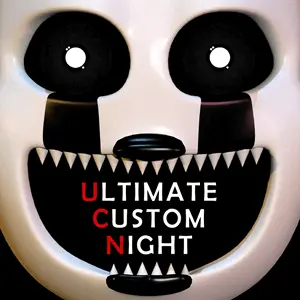
FNAF Ultimate Custom Night

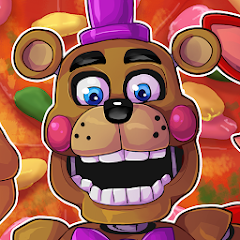
Build your own FNAF challenge by choosing which animatronics appear and how aggressive they become. Ultimate Custom Night combines mechanics from across the series into one highly configurable office.

About Fnaf Ultimate Custom Night

Ultimate Custom Night is a FNAF mashup featuring 50 selectable characters. Each animatronic can be set from 0 to 20 difficulty, allowing players to create anything from a small practice round to the famous 50/20 challenge.

The office includes doors, vents, ducts, cameras, a flashlight, power controls, temperature management and other tools. Different enemies respond to different defenses, so no single button or camera route can stop the full roster.

The best way to progress is to learn mechanics in groups. Start with a few characters, identify the required response for each one and add new threats only after the previous pattern feels automatic.

What Makes This Game Different

  • 50 selectable animatronics with adjustable AI levels.
  • Preset challenges and player-created combinations.
  • Defenses drawn from several earlier FNAF games.
  • Power, noise and temperature systems that interact.
  • A high skill ceiling culminating in 50/20 mode.

How to Play Fnaf Ultimate Custom Night

Choose a small roster and set moderate AI levels. Read the character descriptions on the selection screen because they explain the required counter for each threat.

During the night, keep the camera and office tools organized around a repeatable routine. Some threats need frequent checks, others react to sound, temperature, doors, vents or a specific item.

Add one or two characters at a time. If a run fails, identify the exact animatronic responsible and adjust that part of the routine instead of changing every action at once.

Controls

ActionDesktopMobile-Touch
Select animatronics/difficultyMouse click on roster controlsTap roster controls
Use office controlsMouse click; some versions include keyboard shortcutsTap on-screen buttons
Open cameras and mapsClick monitor/map controlsTap controls
Use flashlight/doors/ventsUse displayed buttons or key guideTap displayed buttons
Pause/menuUse menu or pause key shown by the buildTap menu

Beginner Tips

  • Begin with a few characters rather than enabling a large roster immediately.
  • Learn each character description before the round starts.
  • Group enemies by defense type: camera, door, vent, audio, temperature or item.
  • Use preset challenges as structured practice.
  • Check the current browser build's key guide because shortcuts can vary between ports.

Frequently Asked Questions

How many selectable characters are in Ultimate Custom Night?

The main selection screen includes 50 characters, each with an adjustable difficulty level.

What does 50/20 mean?

It means all 50 selectable animatronics are set to the maximum AI level of 20.

Is there one strategy that works for every character?

No. The game deliberately combines different mechanics, so each threat has a specific counter or condition.

What is the best way to learn UCN?

Start with a small group, master their responses and then increase the roster gradually.

Why do the controls feel complicated?

UCN uses many systems from previous games. The on-screen character descriptions and control guide are part of the learning process.